A narrative platform for the AI era

Content outside the RDB.
No Git pollution.
Just files.

Your thinking, your experience, your writing — kept where you stay the one telling the story, not the one being synthesized by AI.

Baan runs on plain Markdown plus lightweight metadata in libSQL/SQLite. Sync from any editor you love, or use the built-in AI editor. Article bodies and media live in the local filesystem, S3, R2, or Google Cloud Storage.
yourblog.com/baan-admin/posts/edit
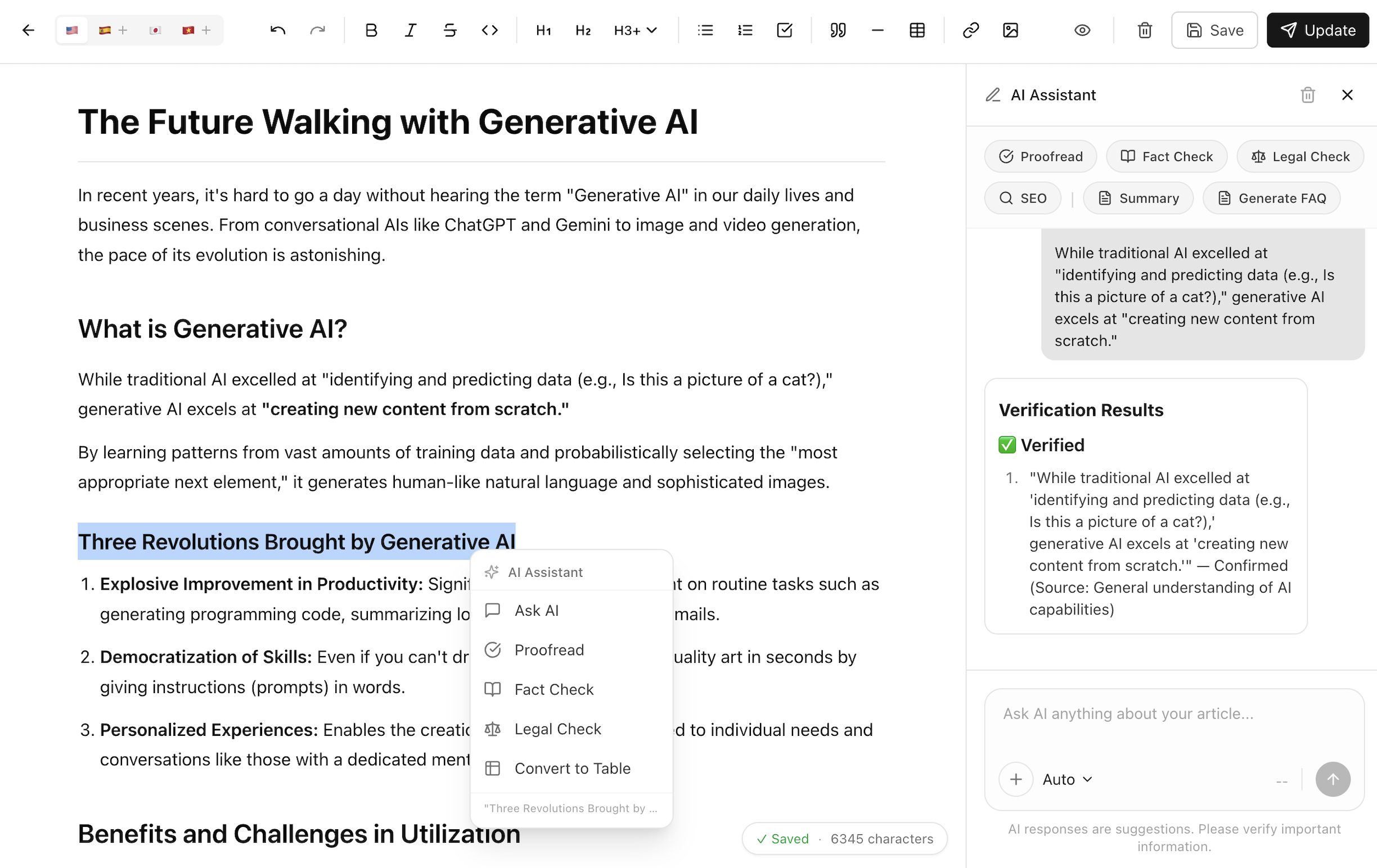
Baan Editor — AI writing assistant in Markdown

A different architecture

Traditional CMSs often store post bodies as database rows. Static generators put them in Git. Baan takes a different path: article bodies are plain Markdown files in storage you choose, while metadata and indexes stay in libSQL/SQLite.

How content flows
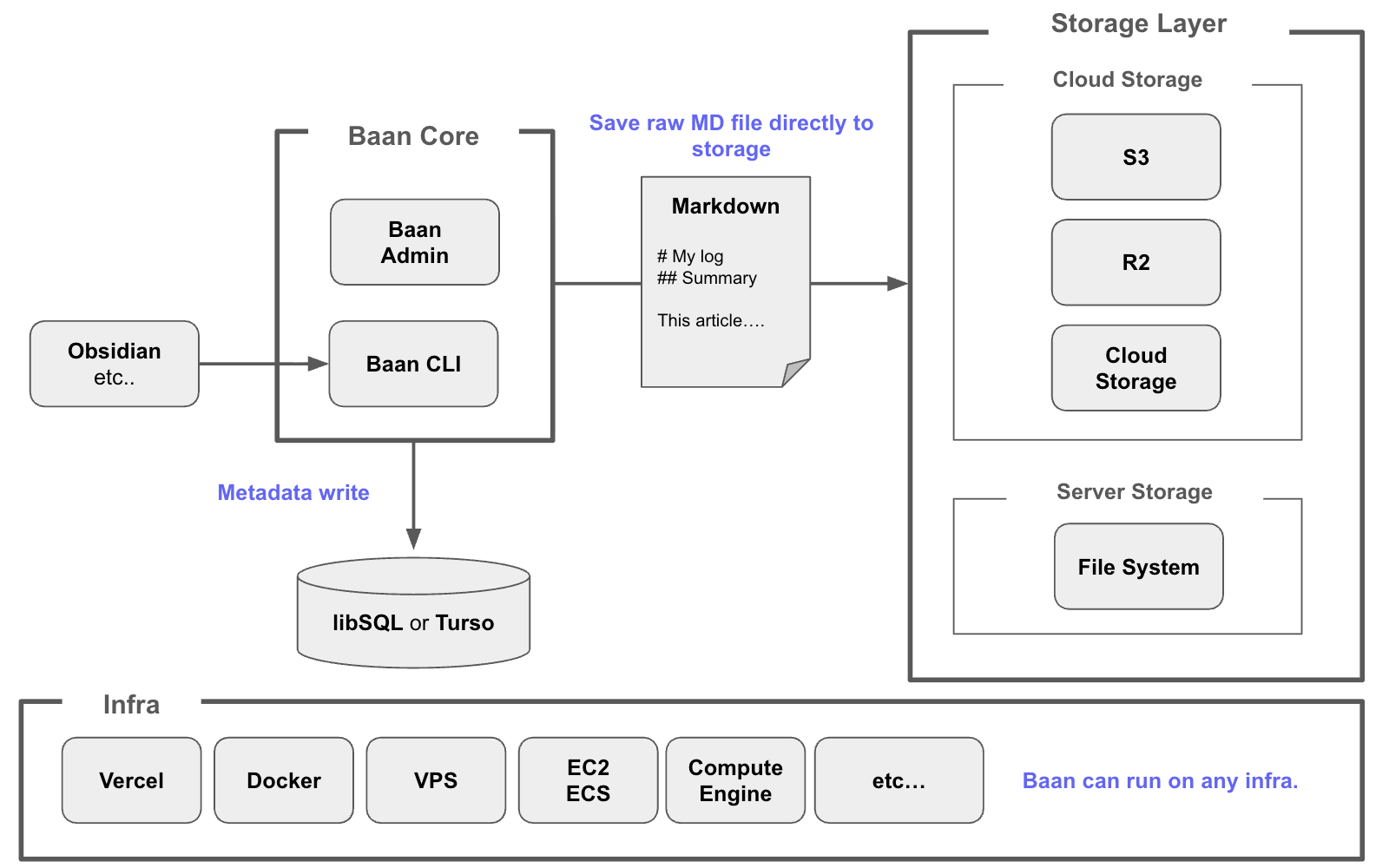
Baan architecture — Markdown to storage, metadata to libSQL
01
Post bodies stay out of the heavy database
Each article body is a .md file on storage you choose — your local filesystem, GCS, S3, or R2. Lightweight metadata, settings, users, rate-limit counters, and the article index sit in libSQL / SQLite. No MySQL or PostgreSQL server to run. Your writing remains readable in any text editor by design.
02
Git stays clean
Your Git repo is for application code and themes. Articles live in storage you own (GCS, S3, R2, or your local filesystem) and back up. No git add post.md, no merge conflicts on articles.
03
Write with any tool
Use Baan Admin, Obsidian, Typora, or VSCode — wherever you think. Publish local Markdown files directly with baan posts create ./draft.md. Baan Admin handles metadata, slugs, and publish state either way.

Where content lives — compared

Traditional CMS Static Generators
Hugo · Jekyll · Astro
Baan
Posts live in MySQL / PostgreSQLDatabase rows — server required Git repositoryEvery post = a commit Storage you choose (.md files)Local filesystem, GCS, S3, or R2. Yours. Portable by design.
Git repo App code & themes App code + all contentHistory is mixed App code only — clean
Database MySQL / PostgreSQLRequired to run None libSQL / Turso / SQLiteSettings, users, metadata, article index, and rate limits
Publishing Admin panel git commit + full rebuildRequires dev workflow Baan Admin or CLI
Portability mysqldump exportPlatform-dependent Files in Git Copy Markdown files from storageDB still holds operational metadata
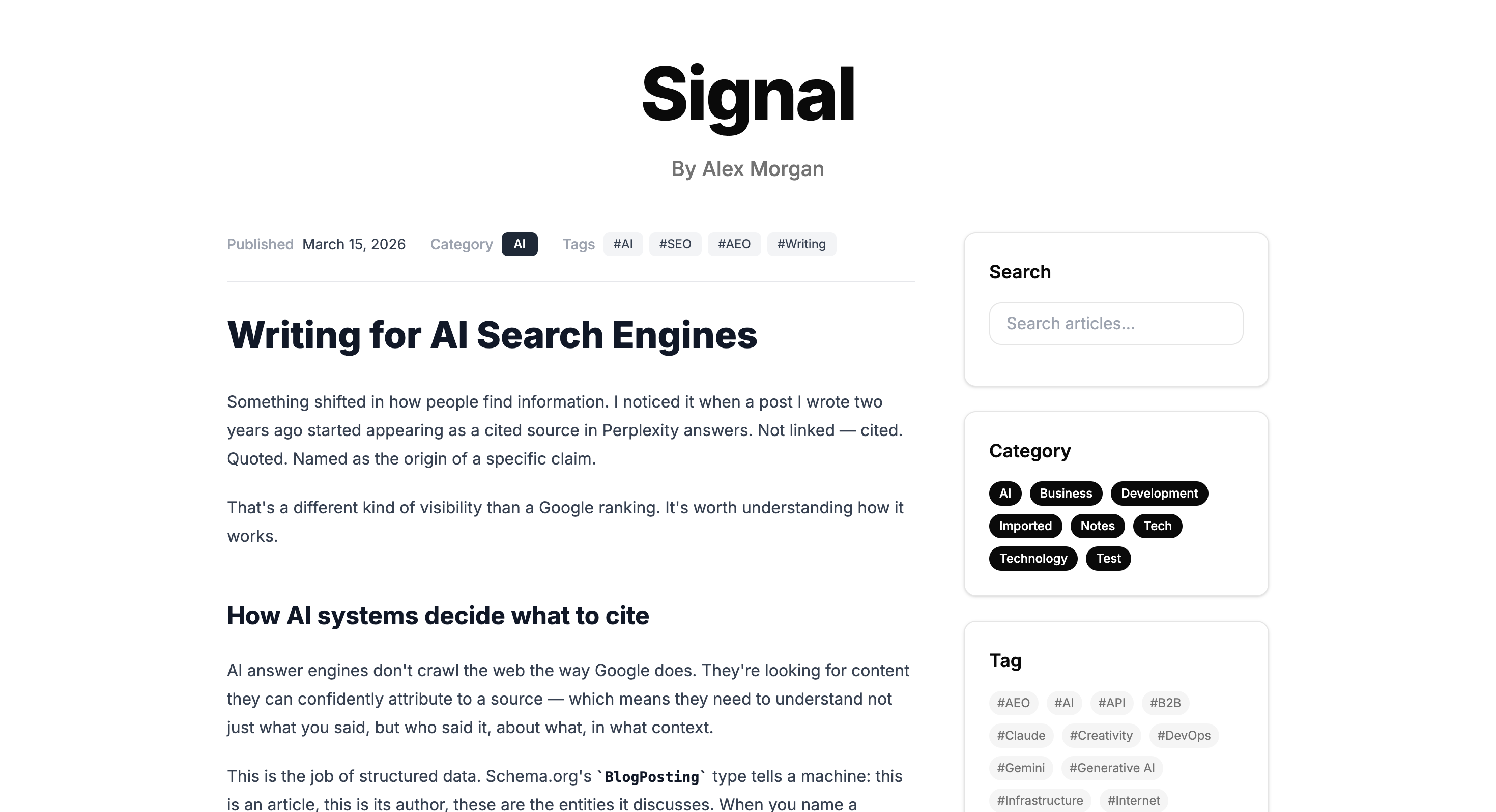
yourblog.com / agile-development-in-practice
Baan — Published article view

Try it in two minutes.

Clone the repo, run the setup wizard, and you're writing. Self-hosted installs auto-create a local SQLite database; serverless deployments use a managed libSQL/Turso database and cloud storage.

TERMINAL
# Clone and start
git clone https://github.com/baan-press/baan
npm install && npm run dev

# Open setup wizard
→  http://localhost:3000/baan-admin/setup
# Start with Docker Compose
docker compose up -d

# Open setup wizard
→  http://localhost:3000/baan-admin/setup

Your Obsidian vault, published —
on infrastructure you own.

Obsidian Publish hosts your notes on their servers. Baan turns the same vault into a real multi-language blog on storage you control — one command, diff-synced.

TERMINAL
# Install the CLI
npm i -g baan-cli

# Point it at your vault, then sync
baan config set-vault ~/Documents/vault
baan sync
→  uploads only new & changed notes, images included

Obsidian ![[image.png]] wikilinks are resolved and uploaded automatically. Notes sync as drafts by default — add --publish when you're ready.

Obsidian Publish vs Baan — compared

Obsidian Publish Baan
Hosting Obsidian's servers Your infraLocal filesystem, GCS, S3, or R2
Content ownership On their platform Plain .md in storage you own
Cost Paid monthly subscription Free & open sourceSelf-host; you pay only your own infra
Output A published vault site A full CMSThemes, RSS, SEO, analytics
Multi-language 11 localesAI-assisted translation
Themes Limited 7 built-in + AI-built custom
Sync One-way, hosted One-way baan syncDiff-tracked — only changes upload

Baan — Thai for home (บ้าน)

Your information's home.

In an age where AI synthesizes knowledge from countless fragments across the web, your own thinking, experience, and writing get dispersed across platforms you don't own. Baan is where it all comes home — a single place, on infrastructure you control.


For anyone who writes —
and wants their words to remain theirs.

Your words carry weight.
In an era flooded with AI-generated content, you believe that who wrote it, when, and why still matters.
Writing is thinking.
You don't write to publish. You write to think. The accumulation becomes yours.
Original over copy.
You want your voice, your context, and your timeline preserved accurately — for the world, and for AI.

Everything you need.
All built in, no bolt-ons.

AI Writing Assistant
Draft, proofread, fact-check, and generate FAQs without leaving the editor. The AI assistant panel runs on Claude, OpenAI, or Gemini — switch providers from the Baan Admin anytime.
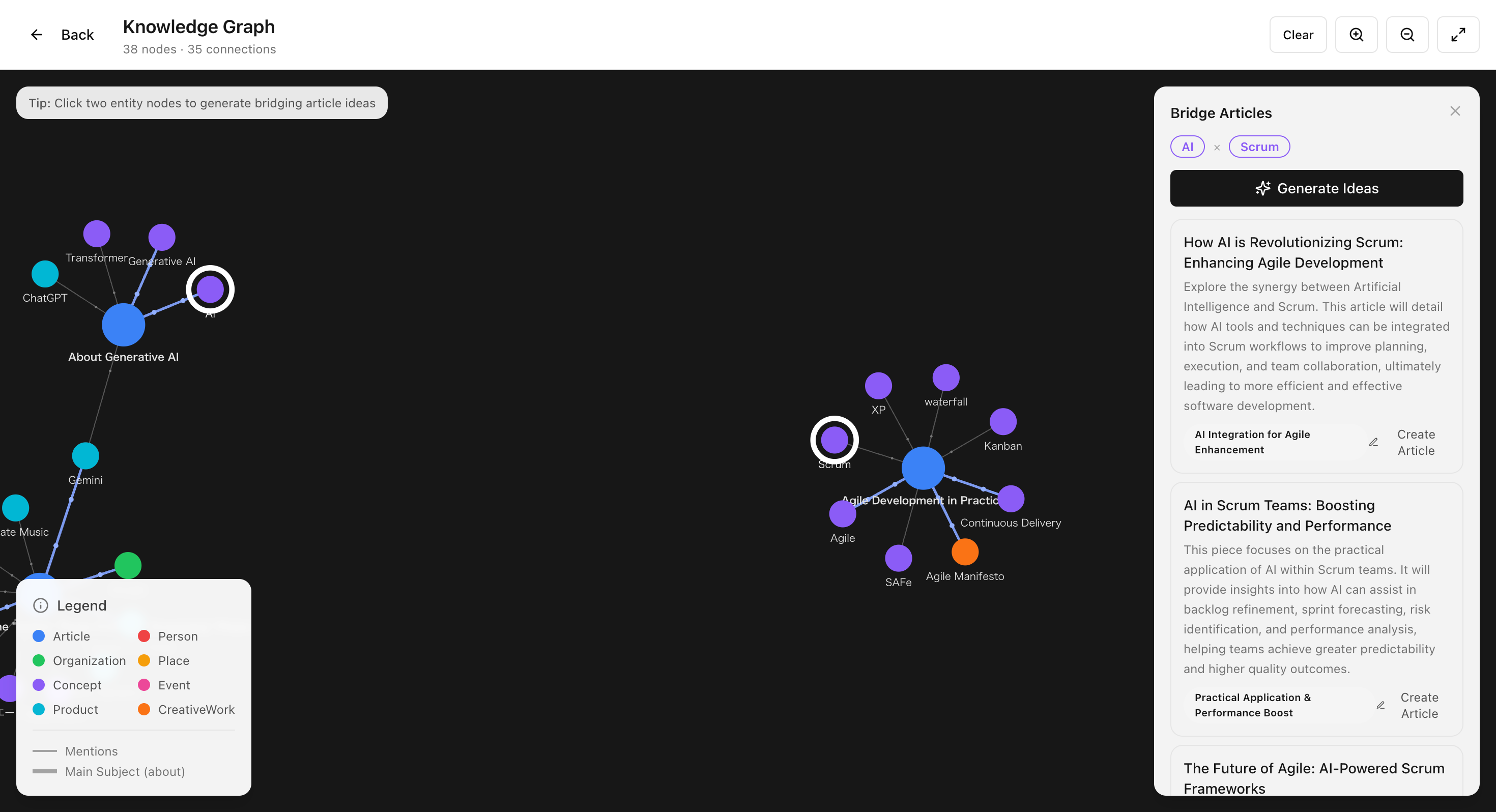
Knowledge Graph + Bridge Article Generator
AI can extract entities (people, organizations, places, concepts, products) from published articles and link them to Wikidata IDs. Pick two entities on the graph and Baan proposes 5 article ideas that bridge them — title, angle, and outline included. Files, graph, and narrative workflow rarely come together in a single CMS.
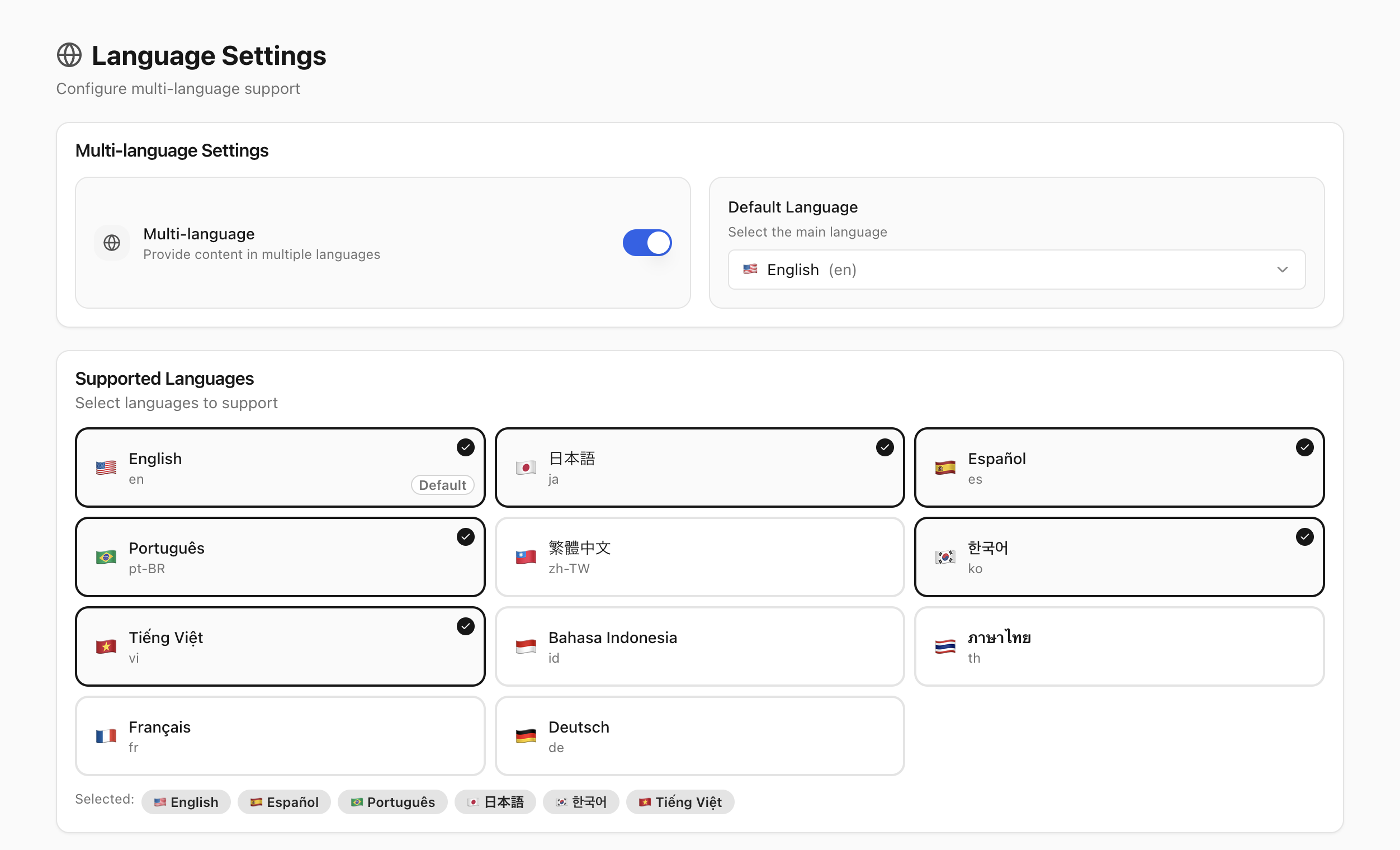
Multi-language
Write once, translate with AI assistance.
AI-assisted translation helps turn articles into Japanese, Spanish, French, and 8 more languages from the Admin. The Baan Admin itself ships in all 11 locales. Multilingual content gives both readers and AI systems more structured entry points into your work.
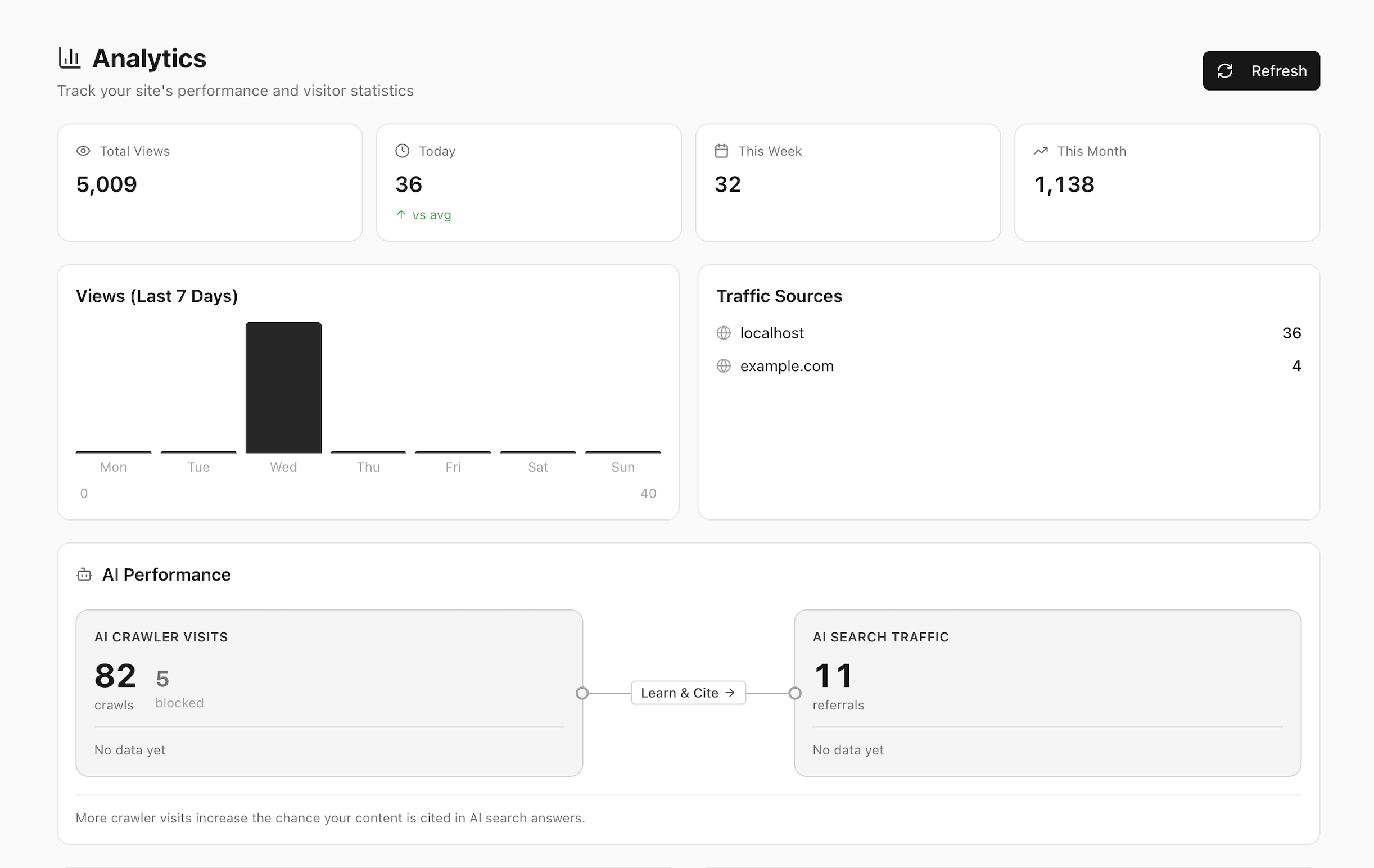
AI Traffic Analytics
Two axes that matter in the AI era: AI Bot visits (by User-Agent — GPTBot, ClaudeBot, PerplexityBot) and AI-sourced human visits when referrers are available (chatgpt.com, perplexity.ai, gemini.google.com, and more). Page views and trend graphs included. Self-hosted, no third-party scripts.
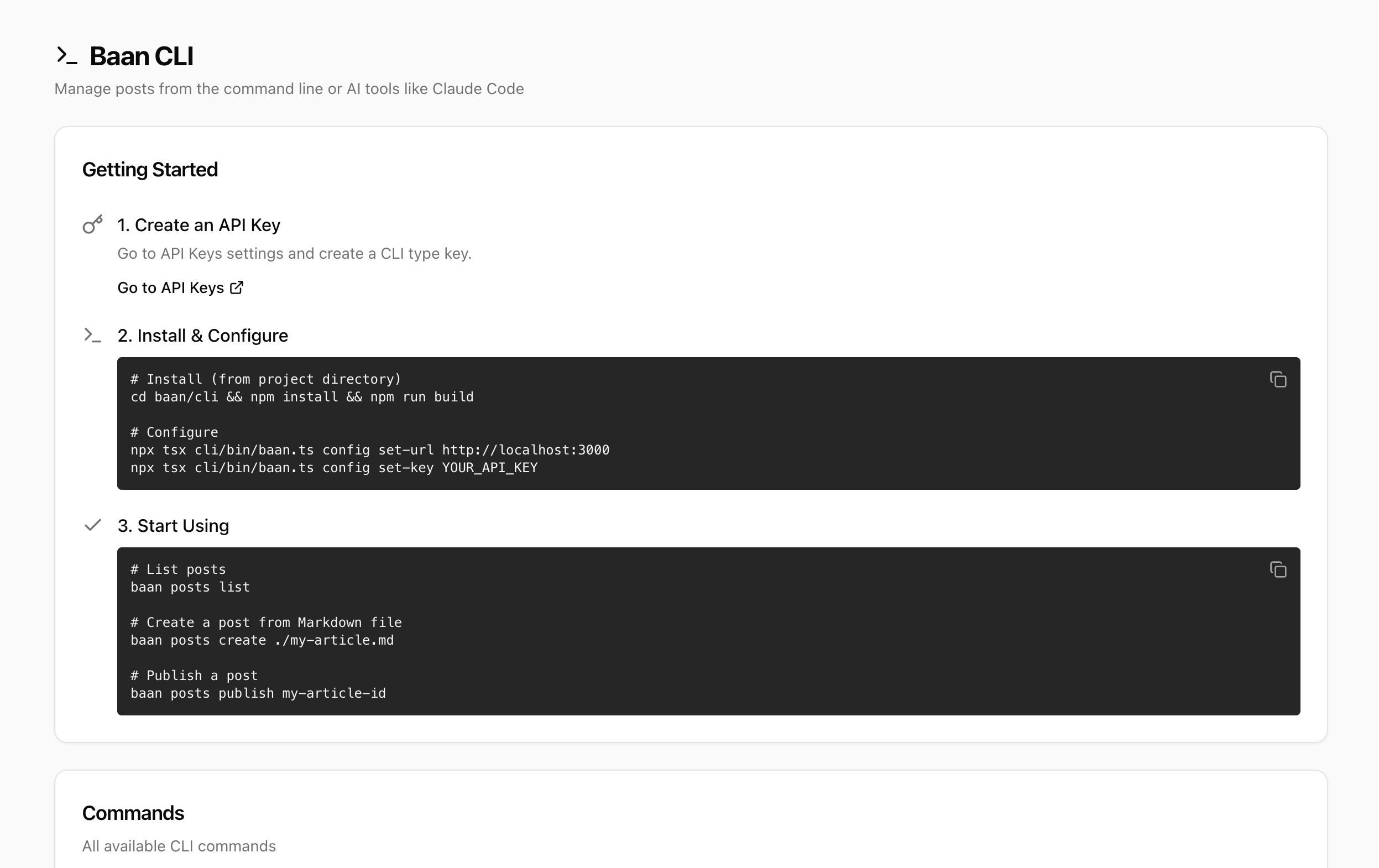
Baan CLI
CLI & External Editor Support
Sync articles from Obsidian, VSCode, or any Markdown editor with a single command. baan sync ./vault detects changes, uploads only what's new, and handles images automatically.
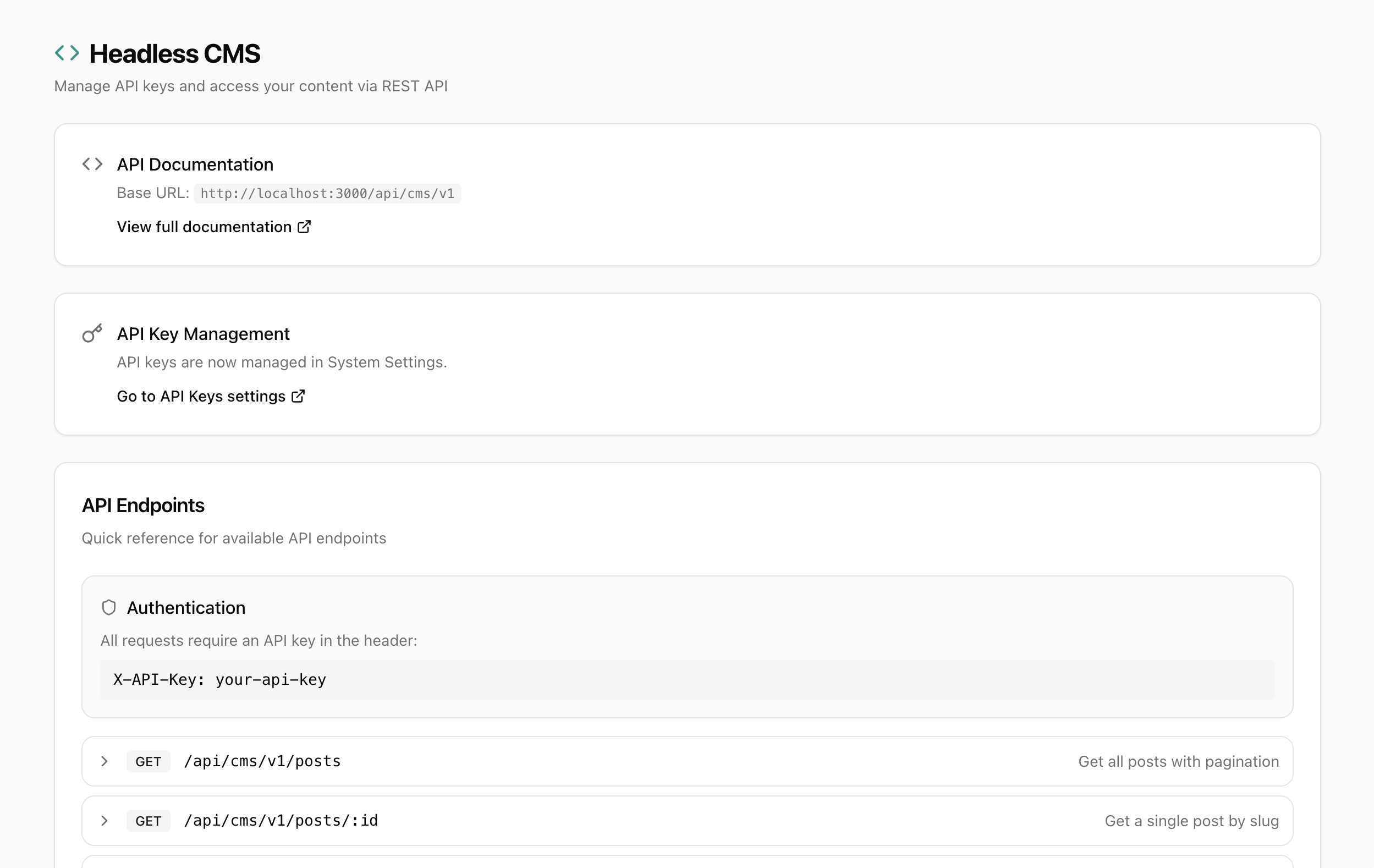
Headless CMS API
Headless CMS API
Versioned REST API with endpoints for posts, categories, tags, and full-text search. Read-only CMS keys for frontends; CLI keys for write access. Rate limiting and API key management built in.
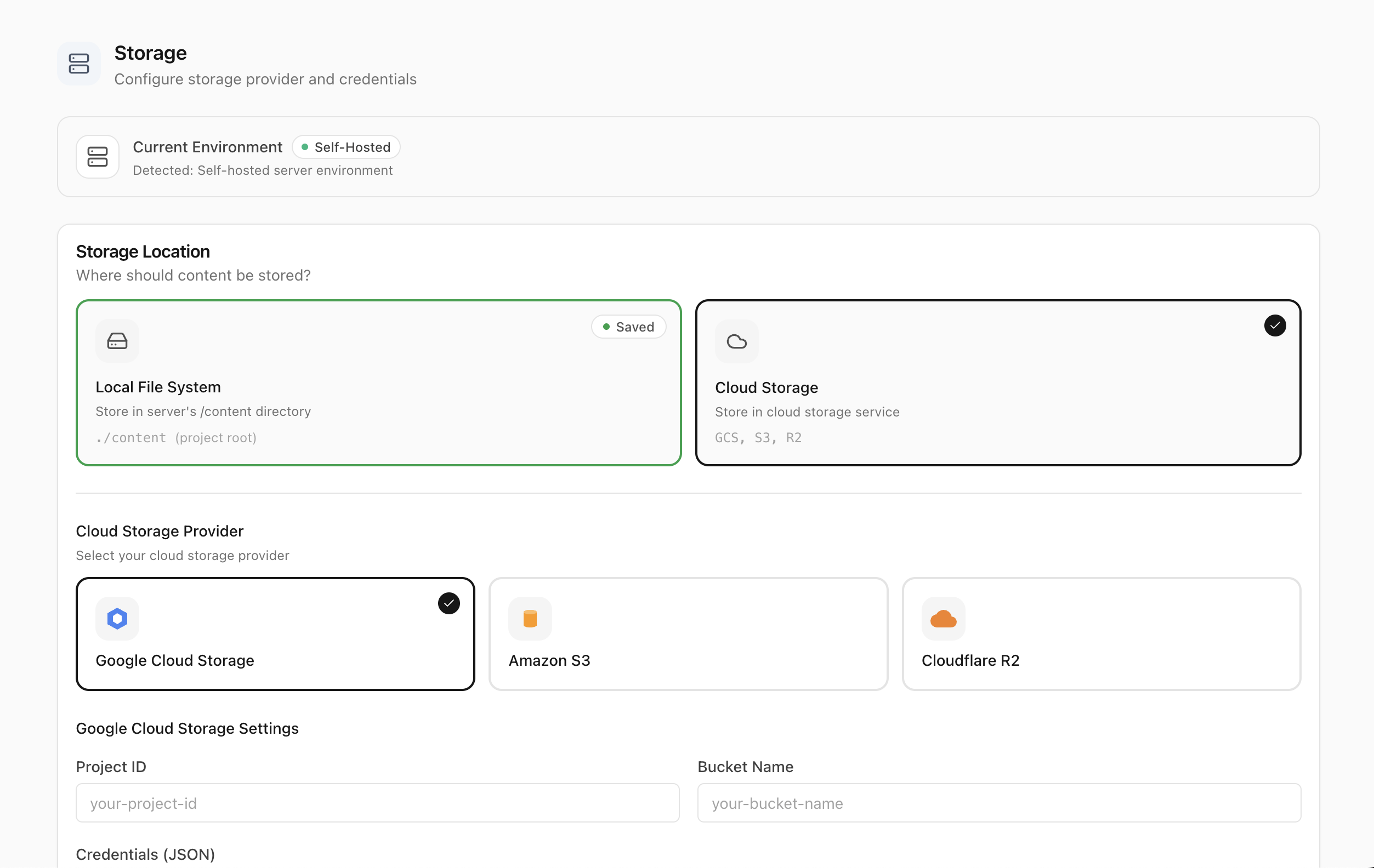
Flexible Storage
Flexible Storage
Local filesystem, Google Cloud Storage, Amazon S3, or Cloudflare R2 — switch from the Baan Admin at runtime and migrate content through the System settings flow. No code changes, no rebuild required.
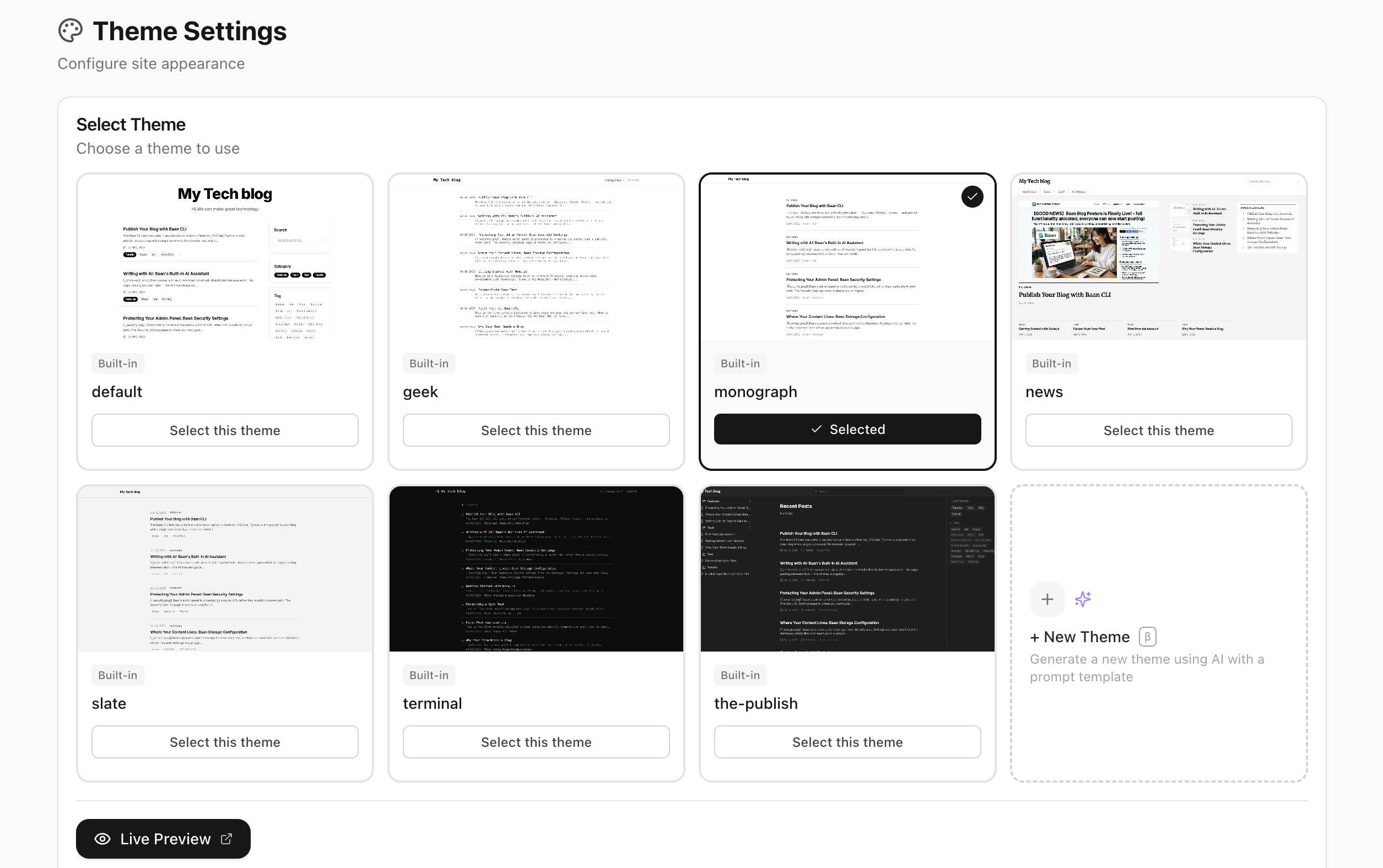
AI-Generated Themes with Theme Provenance
AI-Generated Themes + Theme Provenance
Seven built-in themes ship by default. Generate new ones from a prompt via Baan Admin, or ask Claude Code / Codex / Cursor for higher quality. Themes can bundle prompts/concept.md so the design recipe travels alongside the code.
Security
Security First
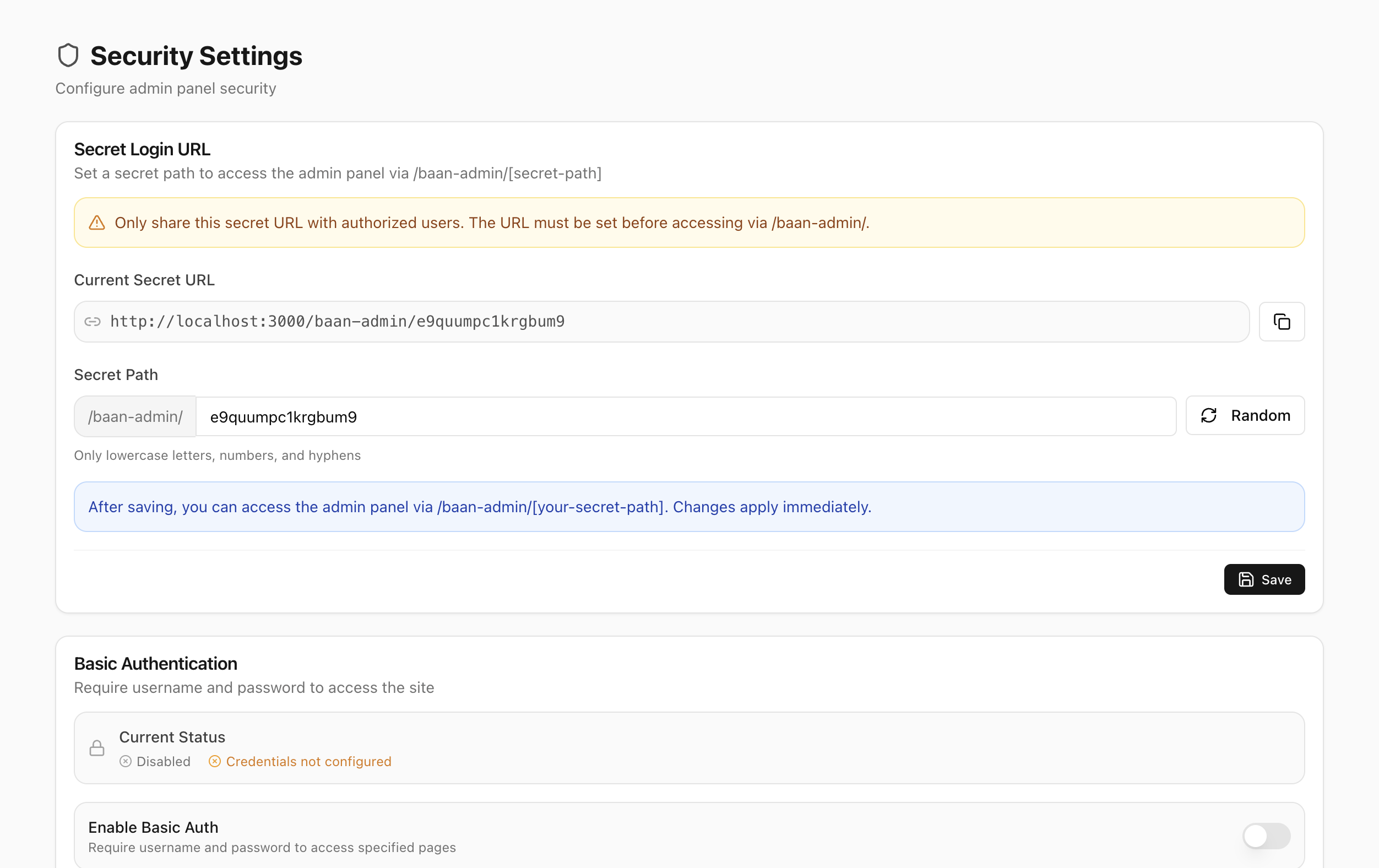
The Baan Admin lives at a secret randomized URL — not /admin. Layer on Basic Auth, IP allowlisting, HttpOnly cookies, RBAC, rate limiting, SSRF checks, and timing-safe comparisons. Designed to minimize the exposed admin attack surface by default.
Import Wizard
Migrate in Minutes
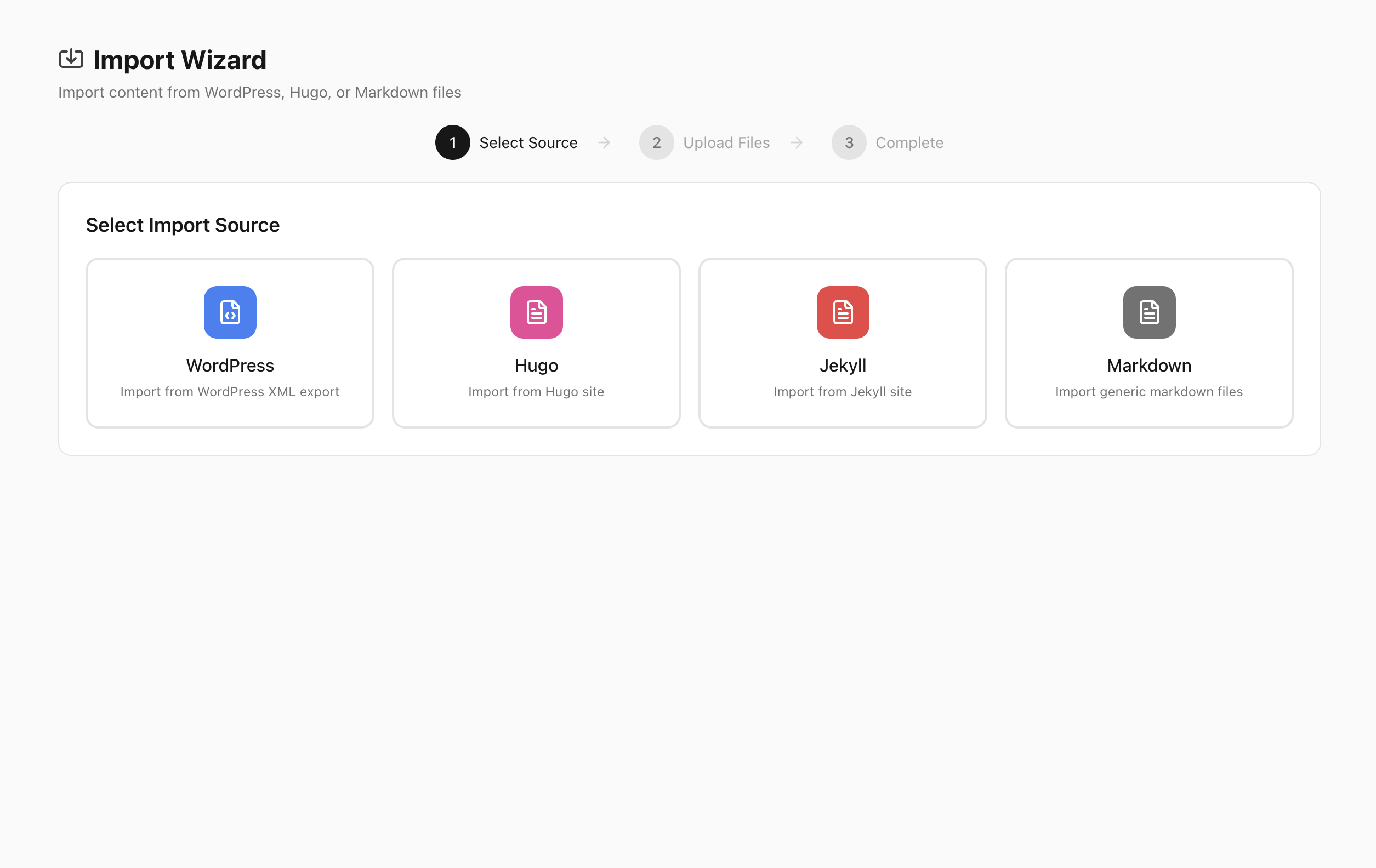
Import from WordPress XML export, Hugo, Jekyll, or raw Markdown files. The three-step wizard handles conversion — your content, categories, and tags arrive in Baan without manual work.
AI Agent Ready
Pair Baan with Claude Code, Codex, Cursor, or any AI coding agent — the repo ships configured for all of them. Add features, redesign the Admin, build new themes, or fork the whole thing. Open source under AGPL v3 — make it yours.

Built to be understood
by AI, not just by Google.

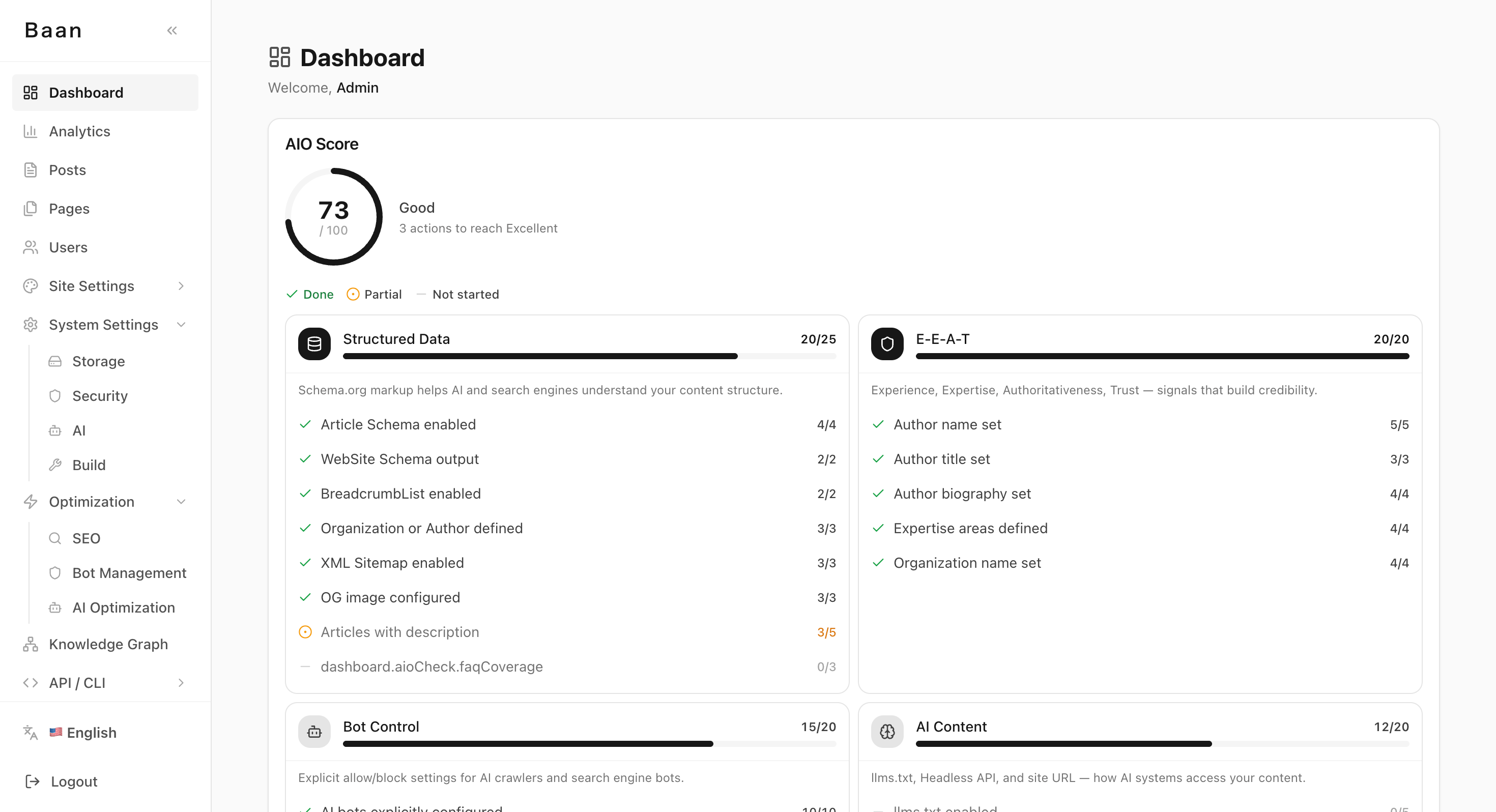
AI systems can better interpret sources with clear structure, metadata, and machine-readable signals. Baan outputs Schema.org data, can add extracted entities, and can serve an optional llms.txt when configured, so your articles are easier for ChatGPT, Perplexity, and Google AI Overview to interpret.

yourblog.com/baan-admin/dashboard
Baan Dashboard — AIO Score, E-E-A-T, structured data status
E-E-A-T & Schema.org
E-E-A-T & Schema.org SEO
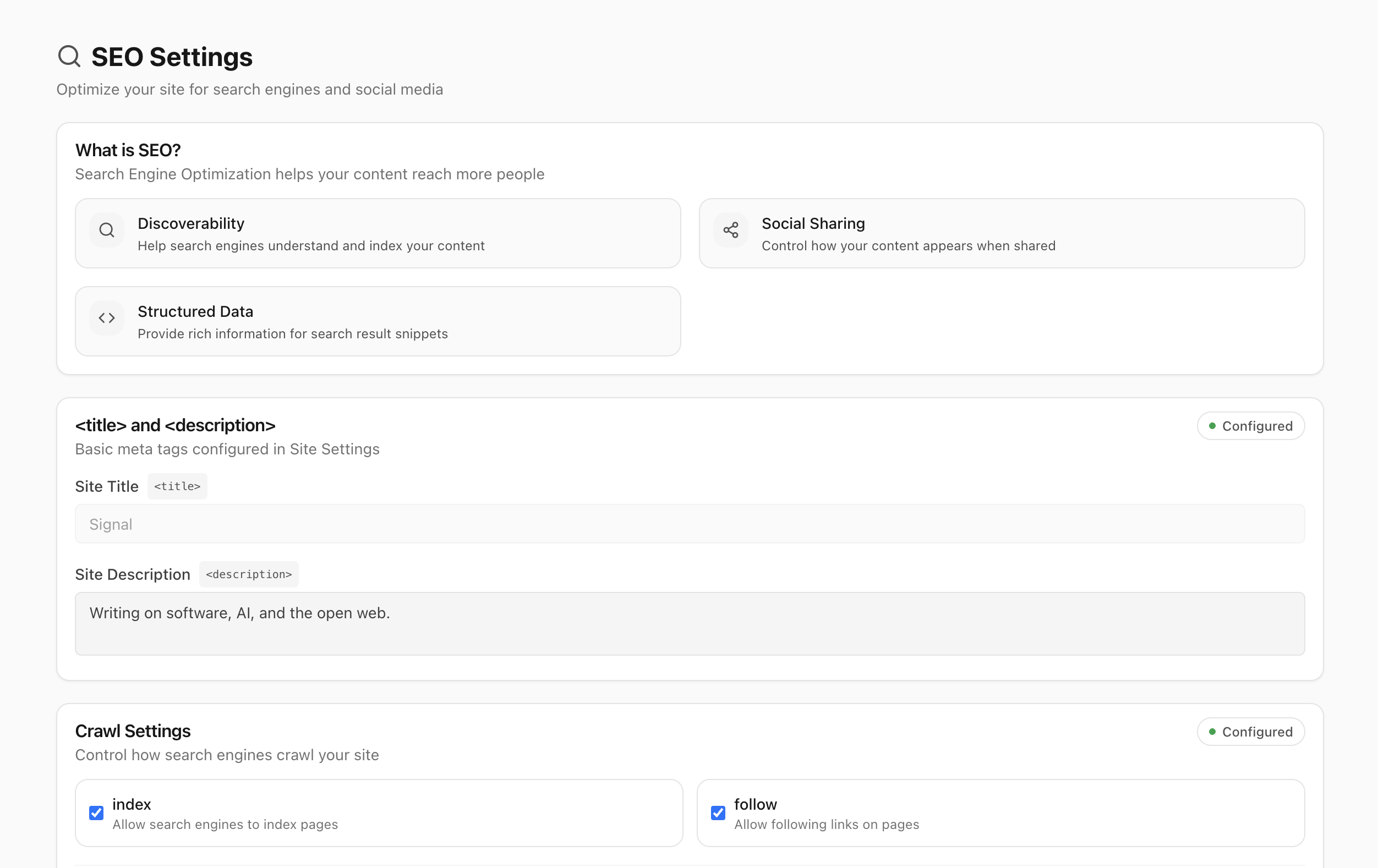
Configure title, description, structured data, and crawl settings from the Baan Admin. Public pages output relevant Schema.org data such as WebSite, Article, BreadcrumbList, and entity schemas where applicable — signals AI systems can use to assess source context.
Bot Management
Bot Management CONTROL
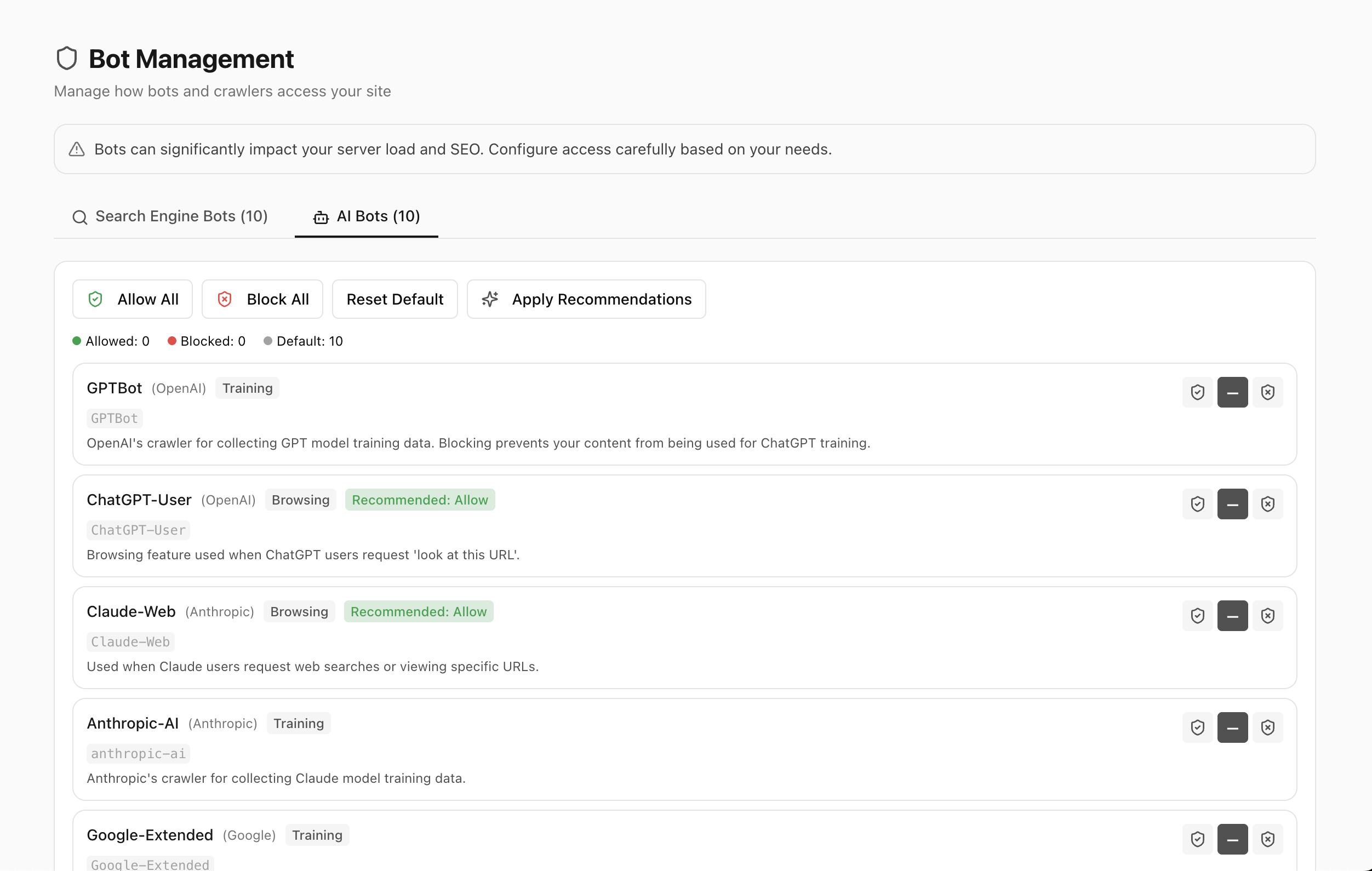
Allow or block any crawler individually — GPTBot, ChatGPT-User, Claude-Web, Anthropic-AI, Google-Extended, and more. Hit Apply Recommendations to configure AI Bots vs search engine Bots with a single click.
Knowledge Graph
Knowledge Graph AEO
AI extracts named entities — people, places, organizations, concepts — and can link them to Wikidata IDs. The visual graph maps connections across your content. Select two nodes to generate bridging article ideas and fill content gaps.
Analytics — AI crawler visits
AI Traffic Analytics AIO
Track AI crawler visits by User-Agent — which Bots, how often, which articles they request. Monitor referral traffic from Perplexity, ChatGPT, and other AI surfaces when referrers are sent. It shows AI-era traffic signals, not guaranteed citation detection.
llms.txt — AI-readable site index
llms.txt AIO
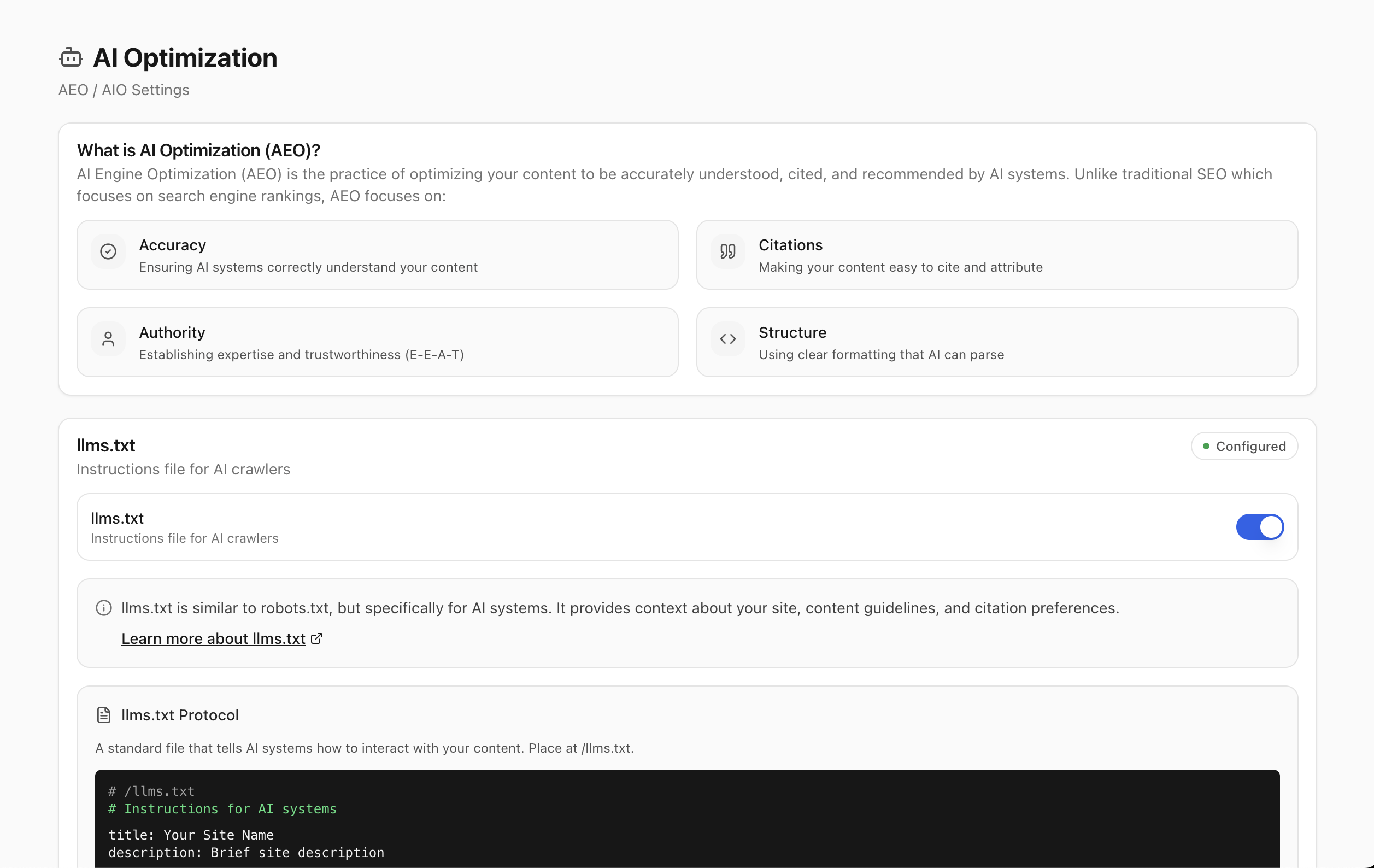
Toggle on and Baan serves /llms.txt from storage — a machine-readable index of your site for AI crawlers. Your AIO score tracks practical readiness signals across content delivery, authority, structured data, and graph coverage.

Not the only option.
But a different trade-off.

Ghost Pro / Substack WordPress (self-hosted) Static generators Baan
Posts stored as plain files ✗ Database rows ✗ Database rows ✓ Files in Git ✓ Files in your storage
No Git commits for articles ✗ Every post is a commit
You own the infrastructure ✗ Hosted by vendor
Modern admin UI △ Plugin-heavy ✗ No admin
AI writing assistant △ Vendor AI only △ Plugins ✓ Bring your own key
AI-readable structured data ✗ Basic only △ Plugin/theme dependent ✓ Built into core
AI-agent friendly codebase ✓ Repo guidance included
Headless CMS REST API △ Ghost only △ REST API plugin ✓ Built-in
External editor support ✓ Git-based ✓ Obsidian, VSCode, CLI
No mandatory SaaS fee ✗ Subscription ✓ Hosting cost only ✓ Hosting cost only ✓ Hosting cost only

Deploy anywhere.

Baan auto-detects its environment and adapts. Serverless or self-hosted — same codebase, different defaults.

Serverless
Vercel
Connect your repo, set storage and libSQL/Turso credentials, run the setup wizard. ISR can update published content without a full rebuild.
Self-Hosted
Docker
Runs anywhere Docker runs — EC2, Compute Engine, Cloud Run, VPS, or your own server. Persistent volumes for your DB and content.
docker compose up -d

Standing on the shoulders
of great developer tools.

Baan exists because of the people who built these projects. Thank you.